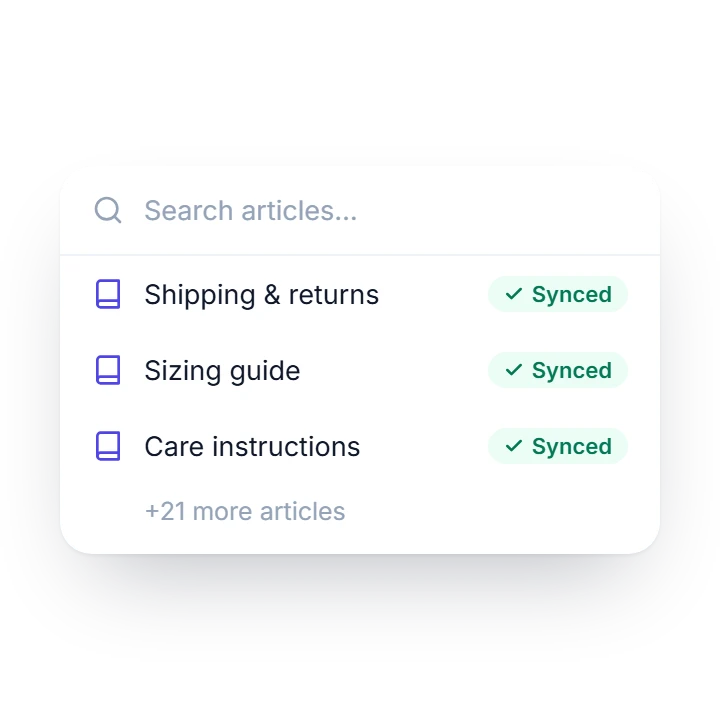
Knowledge Base
Grounded answers from the articles you publish, with the article it used cited under each reply.
AI chatbot plugin for WordPress & WooCommerce
A WordPress chatbot grounded in the articles you publish — and, on WooCommerce, in your catalog and cart. When a question needs a person, your team takes over the same chat.
wp plugin install sohaychat --activate
Want to see it work? The chat in the corner is Sohaychat, running on this site.

Grounded answers from the articles you publish, with the article it used cited under each reply.
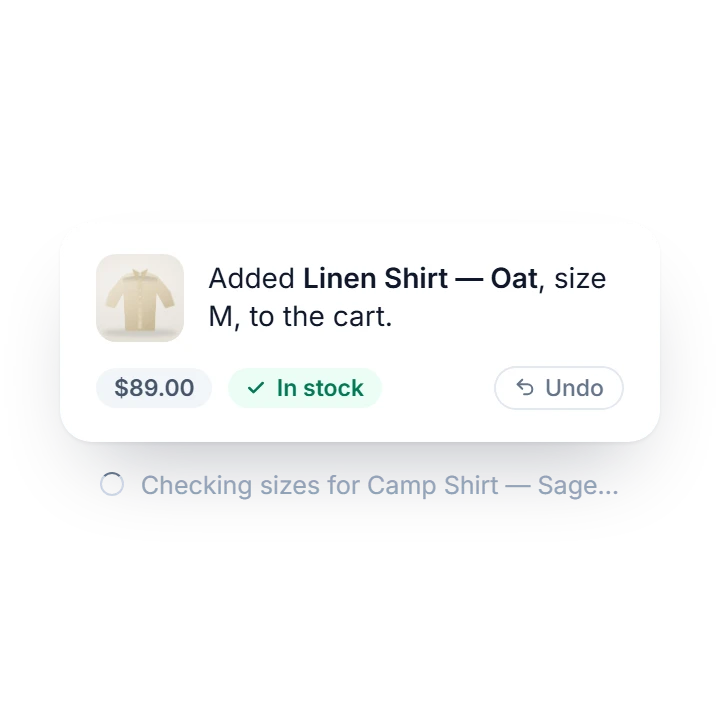
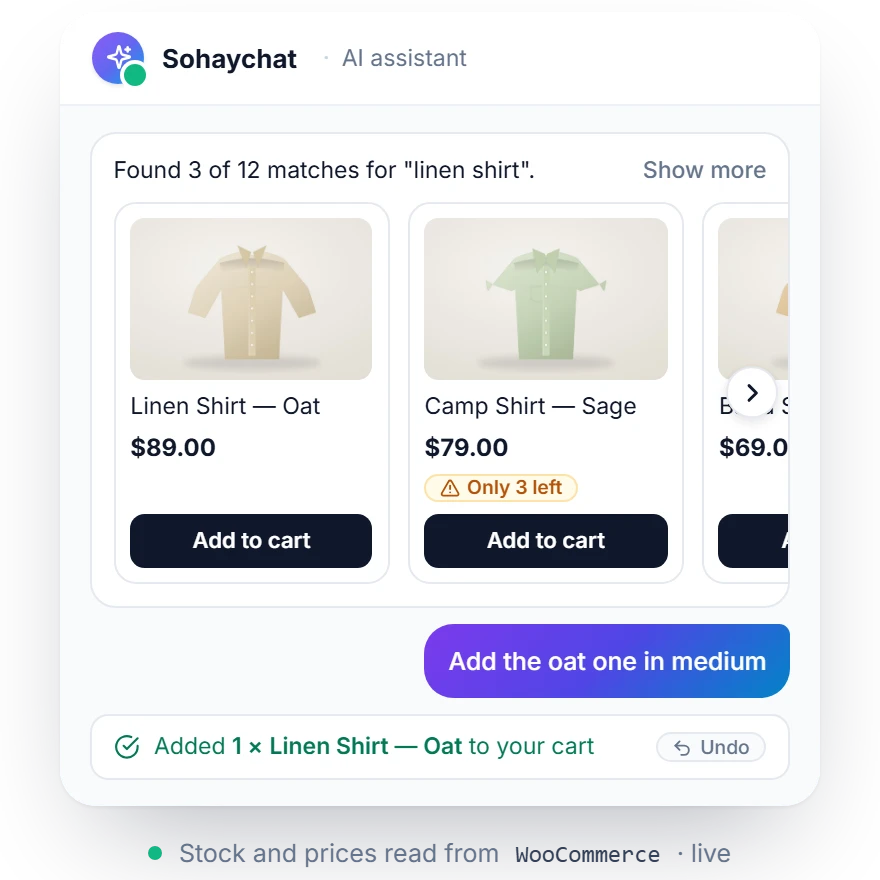
Catalog search, live stock and prices, cart changes with an Undo, and order status for signed-in customers — all in the chat.
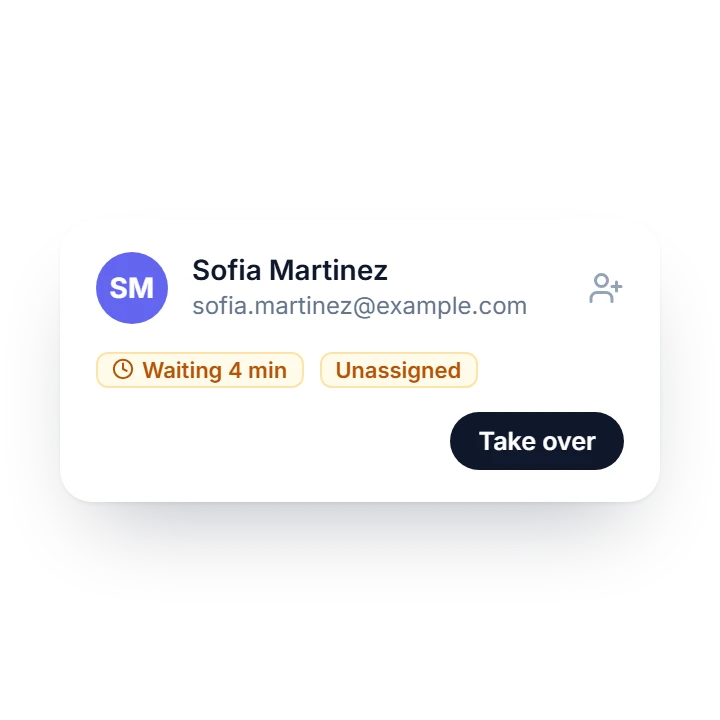
Every conversation saved in your WordPress admin. Take over any chat when a person is needed, and hand it back when you’re done.
Knowledge Base
Publish articles in the built-in Knowledge Base and click Sync All Articles. Before every reply the chatbot looks up the best matches, cites the article it used, and says it doesn’t know instead of inventing a price or a policy.
Get started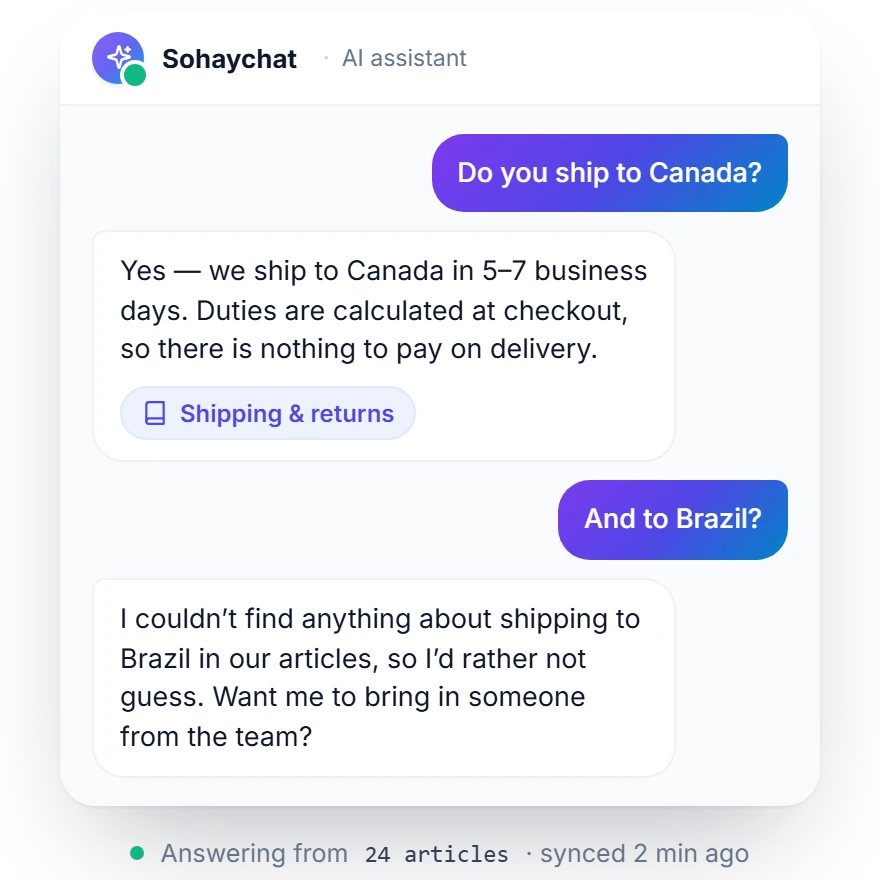
WooCommerce
On a WooCommerce store the chatbot searches your catalog, pulls up a product with its size and colour options, answers shipping and returns questions from your own store pages, and fills the shopper’s cart without them leaving the conversation.
Every conversation is saved under Sohaychat → Conversations. No third-party helpdesk, no per-seat fees.
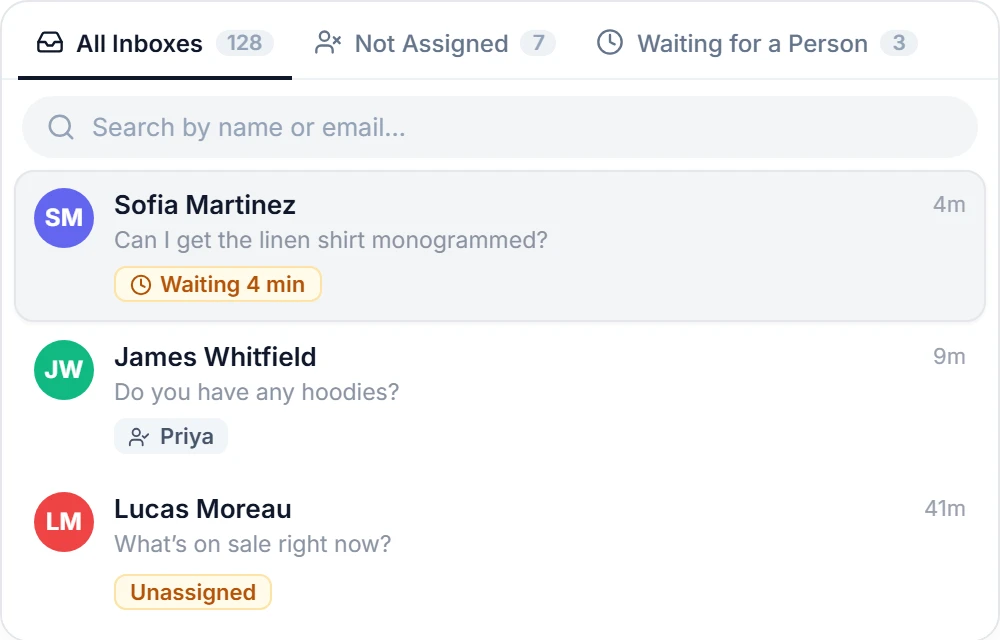
Read, search and filter every chat. Assign it to a teammate, pin it, close it — and delegate access with five granular capabilities, so a support agent never sees AI Settings.
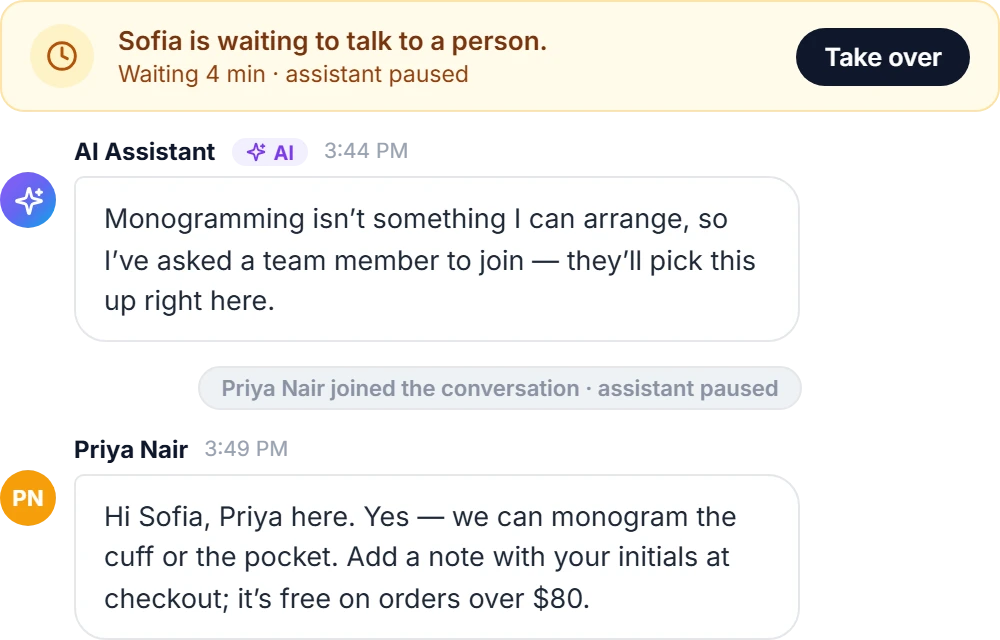
A visitor asks for a person, or the assistant fetches one when it’s stuck. Your team is notified, takes over in the same chat, and the assistant steps back until it’s handed back.
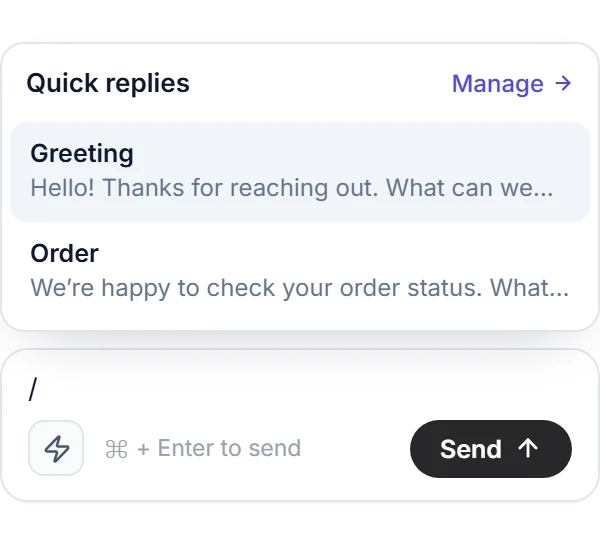
Saved answers your team drops into a reply from the lightning-bolt button, or by typing / in an empty draft. Search, pick, and edit before sending.
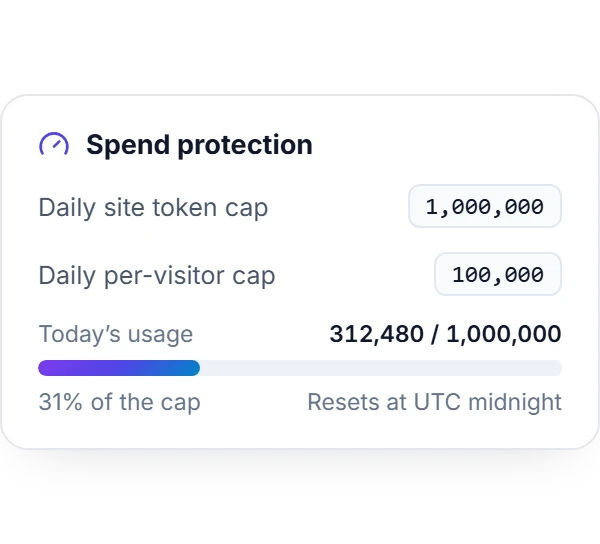
Bring your own OpenAI or Gemini key and set daily token caps for the site and per visitor. Once a cap is hit, Sohaychat stops calling the provider until midnight UTC.
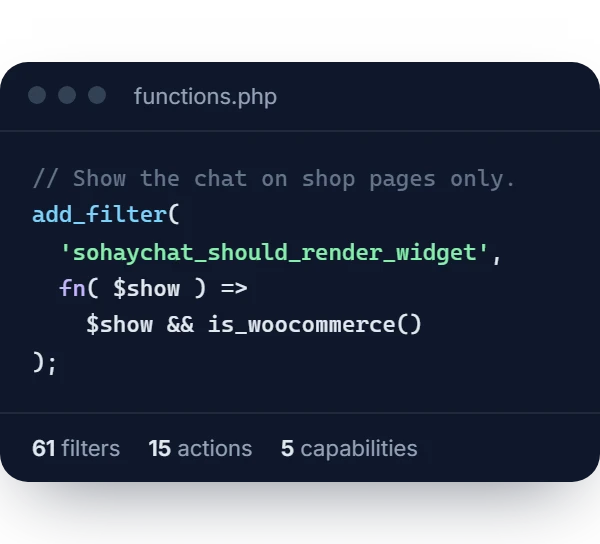
Sixty-one filters, fifteen actions, five capabilities, and the tools framework the WooCommerce integration is built on. The developer questions on WordPress.org are the place to start.
Privacy
Conversations live in your WordPress database, not in a third-party helpdesk. Messages go to the AI provider you chose — and, for Knowledge Base search, to OpenAI — and to nobody else.
Read the docsStraight answers about providers, cost, privacy, and what the chatbot can and can’t do.
Install the plugin, paste an OpenAI or Google Gemini API key under Sohaychat → AI Settings, publish a few articles under KB Articles, and click Sync All Articles. The chat launcher appears on every page — no code, and it works with any theme.
The plugin is free and GPL-licensed. You bring your own OpenAI or Gemini key and the provider bills you per token — a small support site typically stays in single-digit dollars a month, and the daily caps stop it going further.
It answers from the articles you publish and cites the one it used. When nothing matches, it says so instead of inventing a price or a policy — and it can offer to bring in a person.
Yes. Turn on Human handoff under Sohaychat → Settings. Visitors can ask for a person, the assistant can fetch one when it’s stuck, and replying to a conversation takes it over. The assistant stays quiet until you hand the chat back.
Search the catalog, check a product’s options, stock and price, ask about shipping and returns, and add, change or remove cart items — each with an Undo. Signed-in customers can ask about their own orders. Payment stays at your normal checkout.
Yes. The chat, the Knowledge Base and the inbox run on any WordPress site. The shopping tools appear only on stores running WooCommerce 7.0 or later, and switch on by themselves.
In your own WordPress database. Chats from signed-in visitors flow through WordPress’s Export and Erase Personal Data tools, and a guest chat can be deleted from the inbox. API keys are encrypted with AES-256-GCM, and the plugin loads no trackers, fonts or CDN assets.
Any model your OpenAI or Gemini account can call — pick it under AI Settings and switch providers any time. Knowledge Base indexing and search always run on OpenAI, so keep an OpenAI key saved if you use the Knowledge Base.
Barely. Each page loads a small launcher — about 8 KB of the plugin’s own code, plus the copy of React that ships with WordPress — and the full chat downloads only when a visitor opens it. The widget renders in an isolated container, so your theme can’t break it and it can’t restyle your site.
More questions? Read the documentation or the full FAQ on WordPress.org.
Free on WordPress.org. Bring your own OpenAI or Gemini key.
wp plugin install sohaychat --activate